Expense report receipts are the proof behind every reimbursement claim: they show your employer — and, if it ever comes up, the IRS — what you spent, where, when, and why. A valid receipt for an expense report needs the vendor name, the date, an itemized list of what was purchased, the amount paid, and ideally the payment method. Digital receipts and clear photos of paper receipts are generally accepted by employers, and the IRS accepts electronic records too. If you lose a receipt, you are not out of options: a card or bank statement plus a written explanation can often serve as a substitute. This guide covers exactly what belongs on an expense receipt, how digital and paper compare, and what to do when a receipt goes missing.
What Receipts Are For in an Expense Report
An expense report is your formal request to be paid back for business costs you covered out of pocket — travel, meals with clients, office supplies, mileage, and similar spending. The receipts attached to it do two jobs at once. First, they let your employer’s finance team verify each claim before approving reimbursement. Second, they create the paper trail the business needs if its own expenses are ever reviewed. That is why most companies require receipts rather than taking your word for it: the receipt is independent evidence from the seller that the transaction happened.
Requirements vary by employer. Some companies want a receipt for every purchase; others set a threshold, such as requiring receipts only for expenses above a certain dollar amount. Your company’s expense policy is the first document to check, because it overrides general guidance. But regardless of the threshold, keeping a receipt for everything is the safer habit — a small expense you skip documenting today can become a question you cannot answer months later.
Details Every Expense Receipt Should Include
Whether the receipt comes from a store register, an emailed PDF, or a tool you use to document a cash payment, the same core details make it valid for an expense report:
- Vendor name and location: Who you paid, and where. A receipt that just says “payment received” with no seller identified is weak evidence.
- Date of the transaction: When the purchase happened. Dates matter for matching expenses to trips and reporting periods.
- Itemized list: What you bought, with quantities where relevant. A credit card slip showing only a total is not an itemized receipt — finance teams and auditors want to see the line items.
- Amount paid and currency: The total, including any tax, tip, or fees.
- Payment method: Cash, card, or other method. This helps reconcile the receipt against card statements.
- Business purpose: This usually is not on the receipt itself — you add it to the expense report. A short note like “dinner with client X to discuss Q3 contract” is what connects the spending to the business.
If you paid cash to a vendor who does not issue formal receipts — a common situation for freelancers, contractors, and small vendors — you can create a clean record of the real transaction with a free tool like the expense receipt generator, which produces a proper itemized receipt you can attach to your report. The key rule never changes: document real spending only, with accurate details.
Digital vs Paper Receipts: What Employers Accept
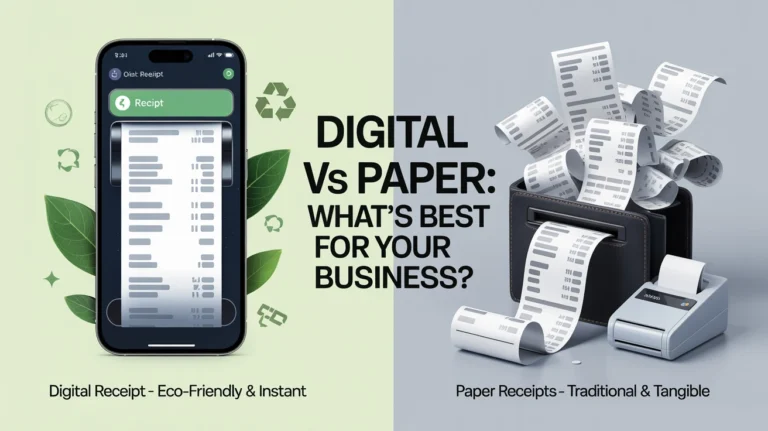
Most employers today accept digital receipts without hesitation — emailed confirmations, PDF invoices from online vendors, and clear phone photos of paper receipts are all standard attachments in modern expense systems. Digital copies have real advantages: they do not fade like thermal paper, they are searchable, and they can be filed the moment you receive them instead of piling up in a wallet.
Paper still shows up, especially for in-person purchases like parking, taxis, and small restaurants. The practical move is to digitize paper receipts immediately: photograph or scan them the same day, before thermal print fades or the slip gets lost. Keep the originals until the expense is reimbursed and the reporting period closes, then you can generally rely on the digital copies. For a fuller breakdown of the tradeoffs, see digital receipts vs paper receipts.
What the IRS Expects for Business Expense Documentation
For tax purposes, the IRS expects “documentary evidence” supporting business expense deductions — generally a receipt, invoice, or similar record showing the amount, date, place, and business reason for the expense. There are a couple of widely known nuances worth understanding. Lodging expenses generally require receipts regardless of amount, while for other expenses the IRS has a long-standing $75 threshold below which documentary evidence is not strictly required — though the expense itself must still be recorded in your books with its business purpose.
A few practical points follow from this. First, the $75 threshold is a documentation rule, not permission to skip record-keeping: you still need the amount, date, and business reason in your records. Second, your employer’s policy may be stricter than the IRS minimum, and the stricter rule wins for reimbursement. Third, digital records are fully acceptable to the IRS as long as they are legible and complete — an emailed receipt or a clear scan carries the same weight as the paper original. This is general information, not tax advice; if your deductions are significant or your situation is unusual, check with a tax professional.
What to Do When You Lose a Receipt
Lost receipts happen to everyone — thermal paper fades, slips fall out of pockets, and emailed confirmations get buried. Do not panic, and do not fabricate a replacement. Creating a receipt for a purchase you cannot verify, or altering details to fill gaps, crosses into dishonest territory. Instead, work through legitimate substitutes in this order:
- Check for a digital copy first. Search your email for the vendor name, check the store’s app or your online account, and look in your phone’s photos. Many purchases leave a digital trail you forgot about.
- Ask the vendor for a reprint or duplicate. Stores, hotels, airlines, and restaurants can often reissue a receipt, especially if you know the date and approximate total and paid by card. Big retailers usually have self-service options — for example, Walmart purchases can often be recovered through your account or the store, as explained in the guide to lost Walmart receipts.
- Use your card or bank statement. A statement line showing the vendor, date, and amount corroborates that the payment happened. It is not itemized, so pair it with your own written note describing what was purchased and the business purpose.
- Write a lost-receipt affidavit or declaration. Many employers have a standard form for this: you state the vendor, date, amount, items, and business purpose, and sign attesting it is true. Finance teams see these regularly; a signed declaration plus a matching card statement is usually accepted.
- Reconstruct from secondary evidence. Calendar entries, travel itineraries, and emails about the trip can support the business purpose when the receipt itself is gone.
Submit the substitute documentation promptly and note on the expense report that the original was lost. Transparency is what keeps a missing receipt a minor hiccup instead of a credibility problem.
Building a Clean Expense Receipt the Right Way
There are legitimate situations where you need to create the receipt yourself: you paid cash to a vendor with no register, you are a landlord or freelancer documenting payment received, or you need a tidy record to attach alongside a faded original. In those cases, use a straightforward tool and enter accurate details — vendor, date, itemized lines, total, and payment method. The expense receipt generator is built for exactly this, and the main FreeReceiptMaker site covers the other common receipt types.
File every receipt the same day you spend the money. Name digital files consistently — something like “2026-03-14_client-dinner_restaurant-name.pdf” — and keep them in a folder per trip or per month. When expense-report time comes, you will attach files instead of hunting through a shoebox, and every claim will have the vendor, date, itemization, amount, and business purpose your employer and the IRS expect.
Frequently Asked Questions
What needs to be on a receipt for an expense report?
At minimum: the vendor name and location, the transaction date, an itemized list of what was purchased, the total amount paid, and the payment method. Add the business purpose on the expense report itself — a short note connecting the spending to work, such as a client name or project.
Do employers accept photos of receipts?
In most cases, yes. Clear phone photos or scans of paper receipts are standard attachments in modern expense systems. Make sure the photo is legible — all line items, the total, and the date readable — and keep the original until the expense is reimbursed.
What can I use if I lost a receipt for an expense report?
First look for a digital copy in your email or the vendor’s app, then ask the vendor for a duplicate — many stores can reissue one, and large retailers often have self-service lookup like the options described for lost Walmart receipts. If no duplicate exists, submit your card or bank statement plus a signed written declaration stating the vendor, date, amount, items, and business purpose.
Does the IRS accept digital receipts?
Yes. The IRS accepts electronic records, including emailed receipts and scans, as long as they are legible and complete. As general guidance, lodging generally needs receipts regardless of amount, and other expenses under $75 still need to be recorded with amount, date, and business purpose even when a receipt is not strictly required. This is general information, not tax advice.
Can I create my own receipt for a cash business expense?
Yes, when it documents a real transaction — for example, a cash payment to a vendor who does not issue receipts. Enter accurate details: vendor, date, itemized lines, total, and payment method. The expense receipt generator produces a clean, itemized receipt for exactly this purpose. Never fabricate or alter receipt details.