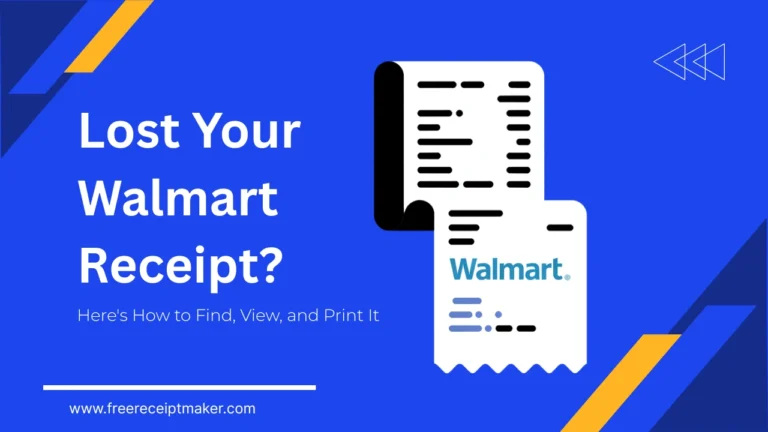
Retrieving Your Walmart Receipts Online: A Fast and Simple Guide
Physical paper receipts, essential for retail transactions like product returns or warranty claims, are frequently misplaced. Large retailers, such as Walmart Stores, Inc. (WMT), address this by using digital infrastructure to offer consumers an easily accessible archive of commercial information. Recovering lost proof of purchase requires utilizing specific transactional data points within Walmart’s dedicated electronic receipt retrieval systems, available via their website or mobile app. This guide provides expert strategies for navigating and accessing your Walmart purchase history through structured digital methods, thereby helping you manage your financial records and consumer rights.
Missing Walmart Receipt: Found.
The loss of a physical receipt does not mean the purchase record is lost entirely. Every transaction, especially those using credit cards, debit cards, or the Walmart Pay app, creates a digital footprint stored on Walmart’s secure servers. This digital receipt repository is an official source providing itemized purchase details, transaction timestamps, and store location data. Retrieval hinges on successfully matching the available account identifiers or payment instrument attributes (such as the last four digits or card type) to the specific digital record within the electronic data interchange (EDI) system.
View Walmart Purchase History
Your official Walmart.com account serves as a centralized purchase history dashboard for both online orders and linked in-store transactions. This dashboard provides account-level access to a persistent record of your spending, offering superior data continuity compared to transient paper records.
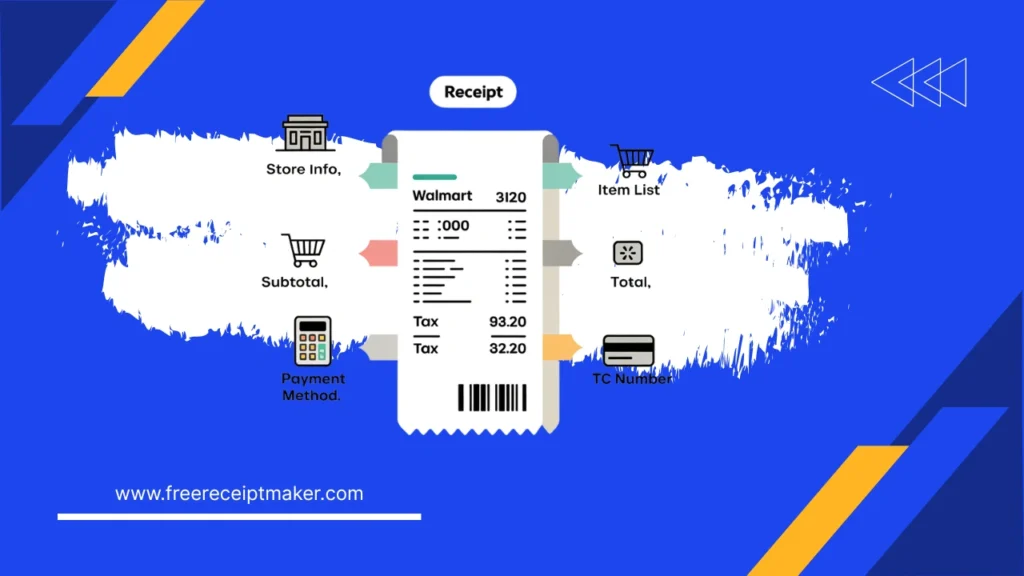
Navigating Your Digital Purchase Log
How to Access Your Digital Walmart Receipt and Transaction Details
To view your itemized digital receipts, including the TC# (Transaction Code) and store identification number, follow these steps:
- Authentication: Log in successfully to your verified Walmart account using either the website or the Walmart mobile app.
- Navigation: Go to the Account section, then select Purchase History (or Order History for online transactions).
- Retrieval: The system will display a chronological list of your completed transactions.
- Note for In-Store Purchases: For an in-store transaction to appear, the payment method used must have been saved and linked to your profile previously, or the purchase must have been made via Walmart Pay.
- Detail Extraction: Select the desired transaction and click View Details to load the complete, itemized digital receipt.
Automated Purchase Tracking: Best Practices
To ensure automatic tracking of your Walmart purchases, consider the following methods:
- Link Your Payment Methods: To facilitate a smooth, automatic data synchronization, you must connect your primary credit and debit cards to your Walmart.com profile. Any in-store purchases made using these linked cards will then be automatically recorded.
- Use Walmart Pay: Utilizing the Walmart Pay function in the mobile application guarantees that a digital receipt is instantly and automatically saved to your Purchase History immediately after the transaction is complete.
Online Receipt Lookup Tool Access
Walmart offers an Online Receipt Lookup Tool as a crucial, non-account-dependent mechanism for verifying transactions. This feature is particularly useful if a shopper used an unlinked payment card or completed the purchase without logging into their app.Required Information for Receipt Retrieval
To successfully find a specific transaction record within the extensive database, the system necessitates highly specific transaction query parameters.
| Data Point (Subject) | Attribute (Predicate) | Purpose (Object) |
| Store Location | Requires | ZIP code or City/State where purchase occurred. |
| Purchase Date | Must be within | 12 months of the current date for most in-store data. |
| Transaction Total | Needs to be | Exact final amount including tax and discounts. |
| Payment Card | Requires | Type (e.g., Visa, Mastercard) and Last 4 Digits of the instrument used. |
To retrieve a digital receipt, go to the dedicated Walmart Receipt Lookup portal. Enter the necessary transactional data, complete the CAPTCHA for verification, and submit the lookup query. If the system finds a unique matching record, the receipt is generally provided for download or printing..
Find Digital Receipts in Email
For users who purchase items online or select an e-receipt at an in-store checkout, the stored email is a crucial way to prove purchase.
Finding Your Electronic Proof of Purchase:
- Online Orders: The official receipt is the Order Confirmation Email generated for every purchase made through Walmart.com or the app.
- In-Store E-Receipts: If you requested the receipt be sent via email, the record will be in the electronic mail address you provided to the cashier.
Pro Tip for Better Organization:
To simplify future receipt retrieval, set up an automated email filter. Configure your mail client to move all messages from @walmart.com containing either Order Confirmation or E-Receipt into a dedicated ‘Walmart Receipts’ folder. This small change in information architecture significantly cuts down on search time.
Contacting Walmart Support for Data
If you cannot obtain the required proof of purchase using Walmart’s digital self-service tools, the next step is to contact Walmart Customer Service directly.Information Needed When Contacting Customer Service
To successfully locate your transaction in the Point-of-Sale (POS) system data, Customer Service associates require precise details, specifically time-series data and payment instrument identifiers.
Please be prepared with the following:
- Date and Time: The exact purchase date and an approximate time window (e.g., 2:00 PM $\pm$ 30 minutes).
- Store Number: The five-digit store identification number, which is often listed next to the charge on your bank statement.
- Payment Details: The type of card used for the transaction and the last four digits of the card number.
- Transaction Total: The exact dollar amount of the final receipt.
Which Walmart Receipt Finder Method Is Right for You?
| Scenario (Subject) | Best Retrieval Method (Predicate) | Trust Signal (Object) |
| Online Order | Walmart Account Purchase History | Highest Data Reliability |
| In-Store with Linked Card/Walmart Pay | Walmart App Purchase History | Automated Real-Time Sync |
| In-Store with Unlinked Card (Recent) | Online Receipt Lookup Tool | Payment-Instrument Verification |
| Paid with Cash / Older Purchase | Customer Service w/ Store Details | Manual POS System Query |
Choosing Between the Walmart App and Website for Receipt Retrieval
Users must choose between the mobile application (App) and the website portal for retrieving receipts based on their current situation and the specific action they need to perform.
Walmart App Features & Benefits
The Walmart App is designed for the on-the-go user, offering a simplified, touch-friendly interface optimized for immediate in-store use.
Key Advantages:
- Speed and Accessibility: Provides instant access for actions while physically in the store (e.g., initiating returns at the Customer Service Desk).
- In-Store Convenience: Ideal for quickly digitizing purchases by scanning a paper receipt or for transactions completed using Walmart Pay.
Walmart Website Interface Advantages
The full Walmart website is primarily recommended for the following functionalities:
- Comprehensive Data Analysis: It offers a superior interface for efficiently reviewing and analyzing a substantial volume of purchase history data, best viewed on a larger screen.
- Reliable Printing: It provides the necessary interface for generating a dependable, high-quality print copy of a receipt—essential for formal documentation like expense reports.
- Access to Receipt Lookup: The Online Receipt Lookup Tool is most effectively accessed and utilized through the full website.
Expert Tips for Digital Walmart Receipt Organization
Optimized Digital Asset Management for Walmart Receipts
Implementing proactive digital asset management is key to minimizing future effort in retrieving receipts. Domain experts strongly advise integrating Walmart’s digital records into a robust, cloud-based organization system.
Recommended System and Procedure:
- Cloud Storage Integration: Utilize a Cloud Storage Service (e.g., Google Drive, Dropbox) to establish a dedicated folder structure: Walmart Receipts > [Year] > [Month].
- Immediate PDF Saving: Immediately after purchase, download and save all necessary receipts as PDF documents.
- Standardized File Naming: Employ a consistent file naming convention, such as YYYY-MM-DD_Walmart_TXN_Total.pdf (e.g., 2025-11-18 _Walmart_TXN_Total.pdf).
- Expense Management Automation: Incorporate third-party expense management applications to automatically parse and categorize transactional data from the downloaded PDFs.
No Receipt? Finding Purchase Proof Offline
If digital methods (account history, lookup tool, email) fail, it suggests the transactional data might be too old, or the initial information provided was incorrect.
Alternative Proof of Purchase (Bank Statement):
- Use your bank or credit card statement as a secondary proof of purchase.
- Although it lacks itemized details, the statement verifies the date, store location, and total amount.
- Walmart may accept this for an exchange or store credit, subject to their return policy stipulations.
Next Step: Customer Service Manager (CSM) Intervention:
- Return to the store and ask a CSM to perform a high-level transaction search on the main server.
- This process requires patience, and you should have your card statement prepared.
Receipts Essential for Frugal Buyers’ Savings
Maintaining a detailed purchase history log is essential, extending beyond simple returns to serve as a core component of effective personal finance management and budgetary control.
Key benefits include:
- Expense Analysis: Receipts offer detailed spending data, enabling consumers to categorize purchases and clearly distinguish between discretionary and essential spending patterns.
- Warranty Management: The receipt date formally establishes the start date of the warranty period, which is crucial for verifying coverage duration on appliances and electronics.
- Tax Compliance: Itemized receipts act as required documentation necessary for successfully claiming specific tax deductions, particularly for business or health-related expenses.