If you need an old Kroger receipt for a return, a rebate, or your expense records, a Kroger receipt lookup is easy: the Kroger app keeps digital receipts for purchases linked to your loyalty account, the Kroger website shows your purchase history when you sign in, and any store’s customer service desk can reprint a receipt using your loyalty card or phone number. In this guide, we cover every official way to find, view, or reprint a Kroger receipt, plus how to keep your grocery records organized.
Find Digital Receipts in the Kroger App
The Kroger app is the fastest way to pull up a recent receipt. After signing in with your Kroger account, open your purchase history or digital receipts section to see recent transactions. Each entry shows the date, store, items purchased, and total, which is enough for most returns, rebate submissions, and price adjustments.
For this to work, your purchases need to be linked to your account, which happens automatically when you enter your loyalty number or scan your digital loyalty card at checkout. If you regularly shop without entering your loyalty info, start doing so: it is the difference between a receipt you can pull up in seconds and one that is gone forever. Digital coupons you clip in the app are also applied at checkout and reflected on these digital receipts, so your receipt doubles as a record of your coupon savings.
Look Up Receipts on the Kroger Website
Prefer a bigger screen? Sign in at kroger.com and open your account’s purchase history. You will see the same linked transactions as in the app, with itemized details for each trip. From here you can print a receipt or save it for your records, which is handy when you need documentation for a rebate, a flexible spending account claim, or a household budget review.
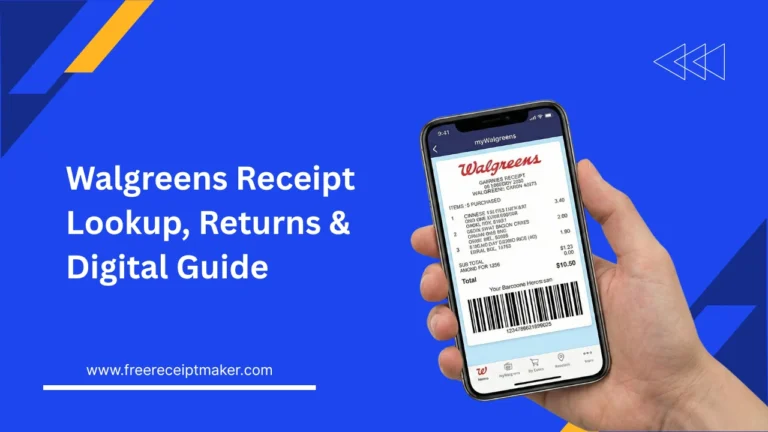
The website history is also useful for spotting spending patterns. Reviewing a few months of grocery purchases can reveal exactly where your food budget goes, which makes it easier to plan and cut costs. Pharmacy purchases made at Kroger may appear here too, though dedicated pharmacy receipts work a bit differently; our guides to Walgreens receipts and CVS pharmacy receipts explain how drugstore receipt systems compare.
Get a Receipt Reprinted In-Store
If you need a paper copy, any Kroger store’s customer service desk can help. Bring your loyalty card or give the phone number linked to your account, and an associate can look up your purchase history and print the receipt. Knowing the approximate date of the purchase speeds things up.
This works best for purchases that were linked to your loyalty account at checkout. If you paid without entering any loyalty information, the store has very little to search by, which is another reason to always enter your loyalty number. For very recent purchases, some stores can also look up the transaction at the register with manager assistance, but the customer service desk is the reliable route.
Returns Without a Receipt at Kroger
Kroger’s return process is smoother when your purchase is verifiable. If the item was bought with your loyalty account, the service desk can find the transaction and process the return or exchange. Keep the item in resalable condition and bring it back reasonably soon after purchase, since grocery return windows are short by nature.
Without a verifiable purchase, your options narrow considerably, so the real lesson is prevention: link every trip to your loyalty account and check the app before you throw away the paper receipt. For non-grocery retailers the rules differ, but the habit is the same everywhere.
Track Grocery Spending for Budgets and Expenses
Receipts are not just for returns. If you track a household budget, split grocery costs with roommates, or document food expenses for a business, your Kroger purchase history is a ready-made spending log. Export or screenshot the receipts you need each month and file them with the rest of your financial records.
Small business owners, freelancers, and landlords often need to document expenses the other way too: issuing receipts for payments they receive. A free receipt maker creates clean, professional records in seconds, and an expense receipt template is useful for documenting business purchases for reimbursement or tax deductions. Whether you are tracking what you spend at the grocery store or recording what your clients pay you, consistent records make tax time far less stressful.
Using Kroger Receipts for Rebates and Price Adjustments
Grocery receipts unlock savings beyond the checkout total. Many manufacturers offer rebates that require a receipt showing the product, date, and store, and digital receipt apps often ask you to photograph or link your grocery receipts to earn cash back. Your Kroger digital receipts already contain all the required details, so you can submit them without keeping a single slip of paper.
Price adjustments are another reason to check your receipts promptly. If you notice you were charged the wrong price for an item, bring the receipt (digital or paper) to customer service soon after the trip. Stores can verify the shelf price and correct the charge, but the window for fixing errors is short, so make reviewing your receipt part of your post-shopping routine.
Digital coupons deserve a mention here too. When you clip coupons in the Kroger app, the discounts apply automatically at checkout and appear as line items on your receipt. If a coupon you expected did not apply, the receipt shows exactly what happened, and customer service can usually fix it on the spot or on your next visit.
What to Do When a Purchase Is Missing from Your History
Sometimes a trip does not show up in your app or online purchase history. The most common cause is simple: the loyalty number was never entered at checkout. Without that link, the transaction is not tied to your account and will not appear in your digital history.
If the purchase was recent, visit the store’s customer service desk with the approximate date, time, and total. The store may be able to locate the transaction in its own system, though this is not guaranteed. For the future, make entering your loyalty number (or scanning your digital card) a non-negotiable step at every checkout, including self-checkout, where it is easy to skip the prompt when you are in a hurry.
Also check that you are signed in to the correct account. Households sometimes end up with more than one Kroger account, especially if accounts were created years apart on different email addresses. If your history looks incomplete, verify which account your loyalty number is attached to before assuming receipts are lost.
Saving Receipts for Tax Time and Flexible Spending Accounts
Grocery receipts occasionally matter for taxes and benefits. If you buy over-the-counter health items with a flexible spending account or health savings account card, keep those receipts in case your plan administrator asks for documentation. Kroger’s itemized digital receipts make it easy to show exactly what was purchased, which is far more convincing than a credit card statement alone.
Self-employed filers who deduct business meals or track household spending should save relevant receipts monthly rather than reconstructing them in April. A simple routine, screenshotting each month’s digital receipts into a tax folder, takes minutes and prevents the year-end scramble. When every trip is linked to your loyalty account, your purchase history does most of the organizing for you.
Frequently Asked Questions
Where are my digital receipts in the Kroger app?
Open the Kroger app, sign in, and look for your purchase history or digital receipts section. Recent transactions made with your loyalty account or digital wallet should be listed there.
Can I see Kroger receipts on the website?
Yes. Sign in at kroger.com, open your account, and look for purchase history. This covers purchases linked to your loyalty account, including most in-store trips where you entered your loyalty number.
How do I get a Kroger receipt reprinted in-store?
Bring your loyalty card or the phone number linked to your account to the customer service desk. The store can look up your purchase history and print a copy of the receipt.
Can I return an item to Kroger without a receipt?
Kroger can often verify the purchase through your loyalty account and process the return. Without a verifiable purchase, return options are limited, so keeping digital receipts is the best protection.
Do Kroger digital coupons show up on my receipt?
Yes. Kroger digital coupons are applied at checkout and the savings appear on your receipt and in your digital purchase history, so your receipt doubles as a record of coupon savings.
Can I get a receipt for a purchase made without my loyalty number?
Usually not through the app or website, since unlinked purchases are not tied to your account. Your best option is to visit the store soon after the purchase with the approximate date, time, and total; the service desk may be able to help, but success is not guaranteed. To avoid this in the future, scan your digital loyalty card at every checkout, including self-checkout.