Lost Your Walmart Receipt? Here’s How to Find, View, and Print It
We’ve all felt that mini heart attack. You get home from a big Walmart run, unbox that new coffee maker, and realize it’s missing a crucial part. You think, “No problem, I’ll just return it.” Then it hits you. The receipt. Is it in the car? Did it get thrown out with the shopping bags?
Ten years ago, that would have been the end of the story. But today, a lost paper receipt isn’t the disaster it used to be. Walmart has robust digital systems that make finding, viewing, and even reprinting your proof of purchase surprisingly simple. Whether you need it for a return, an expense report, or a warranty claim, I’m going to walk you through exactly how to track down that elusive receipt.
Why Accessing Your Walmart Receipt Matters
Before we dive into the “how,” let’s talk about the “why.” That little slip of paper (or its digital twin) is more powerful than you think. It’s your golden ticket for:
- Easy Returns & Exchanges: This is the big one. An official receipt is the fastest and easiest way to return or exchange an item, ensuring you get a full refund to your original payment method.
- Business Expense Reporting: If you bought office supplies, tools, or anything for your job, you need that itemized receipt to get reimbursed. A credit card statement often isn’t enough.
- Warranty Claims: For electronics, appliances, or anything with a manufacturer’s warranty, the receipt is your non-negotiable proof of the purchase date.
- Budgeting and Price Tracking: Reviewing past purchases helps you see where your money is going, track price changes, and manage your household budget.
- Rebates & Rewards Apps: Many popular savings apps, like Fetch or Ibotta, rely on you scanning a clear, itemized receipt to earn points and cashback.
Understanding Walmart Digital Receipts and E-receipts
Walmart offers a couple of ways to track your purchases digitally, and it’s helpful to know the difference.
- Digital Receipts (for Online Orders): This is the most straightforward. Every time you buy something from Walmart.com, a detailed digital receipt is automatically saved in your account’s purchase history. It includes everything from the order number to shipping details.
- E-receipts (for In-Store Purchases): This is the magic for your physical shopping trips. If you use Walmart Pay through the app at checkout, a full, itemized digital copy of your in-store receipt is automatically saved to your purchase history. Some checkout terminals also offer to send an e-receipt via text or email.
How to Find Receipts on Walmart App (Step-by-Step)
If you use the Walmart app or have a Walmart.com account, this is your first and best place to look.
- Open the Walmart App & Sign In: Make sure you’re logged into the account you use for shopping.
- Tap “Account”: This is usually located in the bottom-right corner of the screen.
- Select “Purchase History”: This will be near the top of the menu.
- Browse Your Purchases: The app will show a list of all your recent online and in-store purchases (if you used Walmart Pay). You can scroll through the list or use the search bar to find what you’re looking for.
- Tap an Order to View: Simply tap on any transaction to see the full, detailed receipt, complete with a barcode that can be scanned at the customer service desk for returns.
How do you get a lost receipt reissued?
Getting a receipt reissued is all about leveraging Walmart’s digital tools. Your best bet is to use the Walmart App Purchase History or the Online Receipt Lookup tool.
While you can technically go to the store and ask them to look up a transaction, it’s not always successful. The store associate would need the exact date, time, and the credit/debit card used for the purchase. Even then, reprinting an old receipt from their system can be difficult. The self-service digital methods are much faster and more reliable.
Advanced Methods: Walmart E-Receipt Lookup Online
What if you didn’t use the app and paid with a credit or debit card? You’re not out of luck. Walmart has a powerful web-based tool for this exact situation.
Step-by-Step Guide for Walmart Receipt Lookup
- Navigate to the Tool: Open a web browser and search for “Walmart Receipt Lookup” to find their official page.
- Enter Purchase Location: You’ll need to provide the ZIP code or the City and State of the store where you made the purchase.
- Enter the Purchase Date: Select the exact date of the transaction from the calendar.
- Enter Card Information: Provide the last 4 digits of the credit or debit card you used.
- Enter the Receipt Total: Type in the exact total amount from the receipt (you can find this on your bank or credit card statement).
- Find Receipt: Click the lookup button. If a match is found, it will display a digital copy of your itemized receipt.
Can I return a product without a receipt?
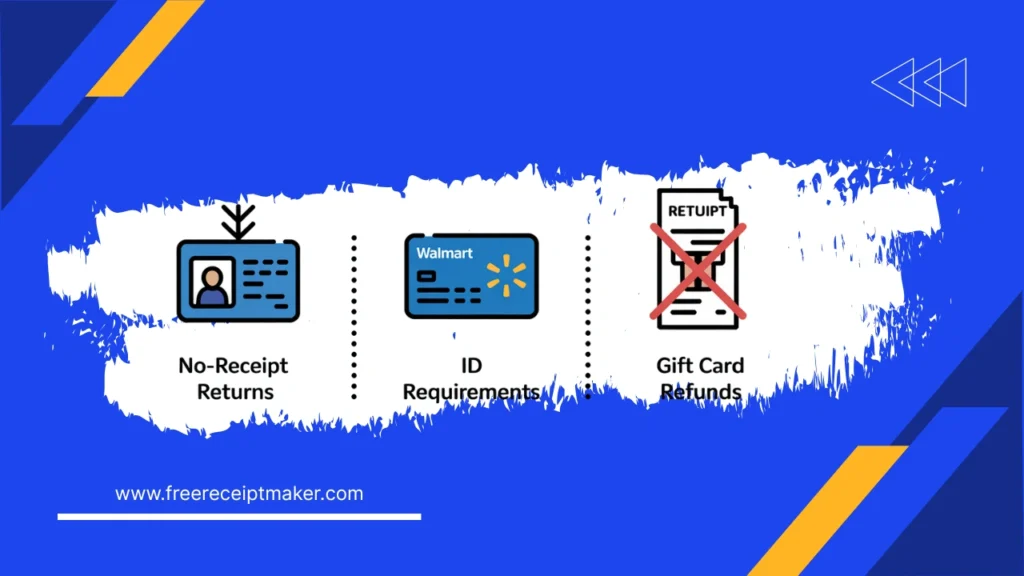
Yes, but with some significant limitations. Walmart’s return policy does allow for no-receipt returns, but it’s designed as a last resort.
Typically, for returns without a receipt, you will need to show a government-issued photo ID. The refund will be issued as a Walmart gift card, not back to your original payment method. Furthermore, there are limits on the value of the item and how many no-receipt returns you can make within a certain period to prevent abuse. So, while it’s possible, it’s always better to find your receipt.
What to Do When Receipts Can’t Be Found
If you’ve tried the app and the online lookup tool and still come up empty-handed, you might need to recreate the receipt for your own records, especially for an expense report. If you have the transaction details from your bank statement but can’t retrieve the official itemized copy, you can create a replica to submit for reimbursement. Our Free Sales Receipt Maker can help you build a detailed, itemized document for your records.
Using Dedicated Receipt Scanning & Expense Tracking Software
For the future, the best defense is a good offense. Apps like Expensify, Zoho Expense, or even the scanning features in apps like Google Drive can help you digitize your paper receipts the moment you get them. A quick photo is all it takes to have a permanent, organized digital copy, so you never have to hunt for a lost one again.
Tips for Smoothly Managing your Walmart Digital Receipts
- Always Use Walmart Pay: It’s the most seamless way to automatically save every in-store receipt to your account.
- Link Your Phone Number: At the self-checkout, you can often link a purchase to your account by entering your phone number.
- Check Your Email: If you shopped online, your receipt is already in your email inbox. Create a specific folder or label to keep them all organized.
- Download PDFs: For major purchases with warranties, download a PDF copy of the receipt from your purchase history and save it to a cloud storage service like Google Drive or Dropbox.
Why Digital Receipts Give You a Competitive Edge in Managing Finances
Moving away from paper and embracing digital receipts is a smarter way to manage your financial life. It’s not just about convenience; it’s about having better control.
Benefits of Digital Receipts
- They’re Permanent: Digital receipts don’t fade, rip, or get lost in a cluttered drawer.
- They’re Searchable: Need to find out how much you spent on groceries last March? Just search your purchase history.
- They’re Eco-Friendly: Less paper waste is always a good thing.
- They Simplify Everything: From returns to tax time, having an organized digital archive of your purchases makes every financial task easier.