Create Target Receipts with Our Free Tool
Need a Target receipt for expenses, budgeting, or a creative project, but lost the original? FreeReceiptMaker.com lets you quickly design and download a realistic Target-style receipt in minutes. This post will guide you through using our free tool, detailing its features, offering tips for creating a convincing receipt, and providing essential ethical guidelines.
What Is a Target Receipt Generator?
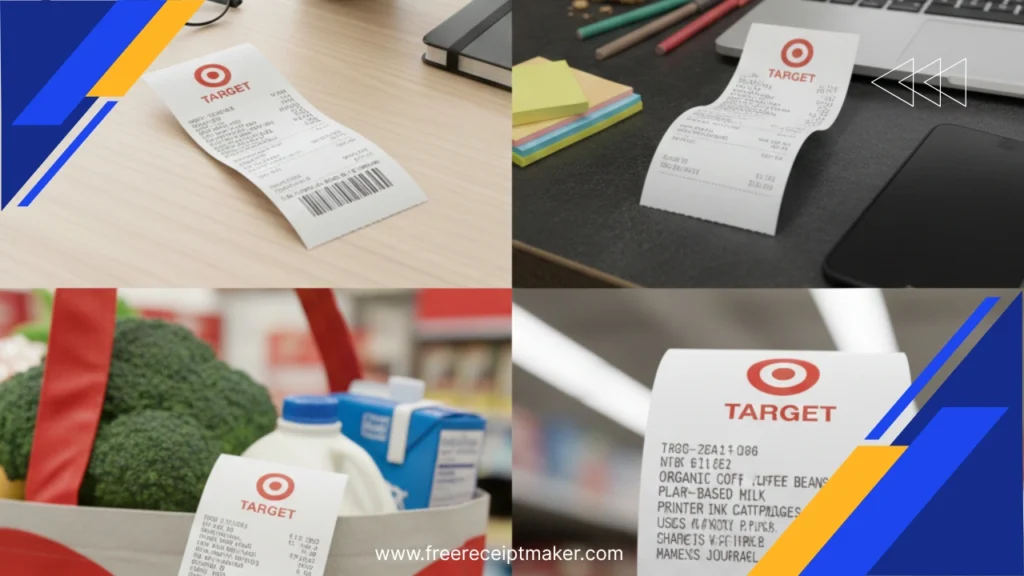
A Target receipt generator is a web-based application that lets you build a mock receipt that visually mimics a genuine Target store receipt. With our tool, you can:
- Enter store and transaction details (such as store name, address, register number)
- Add line items (product names, quantities, prices)
- Set tax, subtotal, and total amounts
- Choose a payment method (card, cash, etc.)
- Specify the date and time of the receipt
- Preview your receipt in real time and then download it
Why Use FreeReceiptMaker.com for Target Receipts
Our receipt maker is specifically designed to give you full control over how your receipt will look — and to make the process as simple and quick as possible:
- No Signup Required
Start creating right away — no account needed. - Live Preview
As you type, you can see how your receipt will look, making adjustments in real time. - Full Customization
Customize every detail: item names, quantities, unit prices, tax lines, payment method, and date/time. - Multiple Export Options
Once you’re happy, download your receipt as a PDF, PNG, or JPEG, depending on what you need. - Mobile-Friendly
Use it on any device — your phone, tablet, or desktop — without compromising design or functionality. - 100% Free
All features are available at no cost.
7 Steps to Create a Target-Style Receipt
A high-quality guide to using FreeReceiptMaker.com
Open the Tool & Set Style
Go to FreeReceiptMaker.com and choose the “Target-style” template or configure your layout.
💻Set Header Information
Input the critical transaction details: store name, register number, and transaction number.
🏷️Populate Line Items
For every purchase, accurately enter the product name, the item quantity, and the unit price.
📝Calculate Financials
Input the subtotal, set the tax rate (if applicable), and ensure the final total is correct.
💰Define Payment & Timestamp
Select the payment method (cash, card) and accurately set the date and time of the transaction.
💳🕒Review Formatting
Use the live preview feature to meticulously check alignment, formatting, and overall realism.
🔍Download or Print
Export your final receipt as a PDF, PNG, or JPEG file, then save it, print it, or share it as needed.
⬇️Practical Uses for Your Custom Target Receipts
Using FreeReceiptMaker.com to generate Target receipts can be useful in a variety of scenarios:
- Expense Tracking: Keep clear, organized records of your Target purchases even if the original receipt is missing.
- Budgeting: Use the generated receipts for personal finance or budgeting apps to track your spending.
- Reimbursement & Returns: Use your custom receipt for documentation when returning items or requesting reimbursements (make sure notation is accurate).
- Creative Projects: Design props, mockups, or educational materials using realistic-looking receipts.
- Record-Keeping for Small Business: Use them to simulate transactional receipts for bookkeeping or client documentation.
Legal & Ethical Considerations
While FreeReceiptMaker.com is a powerful and flexible tool, it’s important to use it responsibly:
- Legitimate Use Only
Use generated receipts for honest, lawful purposes — such as budgeting, design mockups, or record tracking. - Avoid Fraudulent Use
Do not use fake receipts to commit fraud, misrepresent purchases, or manipulate financial systems. - Be Transparent When Necessary
If you’re using the generated receipt for business or clients, consider indicating that it’s created with a receipt generator to avoid misunderstandings.
Tips for Making Your Receipt Look as Authentic as Possible
To make your Target-style receipt look especially realistic:
- Use realistic product names and typical Target price ranges.
- Incorporate decimal values and tax lines to mimic real receipts.
- Format the date and time to reflect common transaction patterns.
- Add a register number and transaction ID to make it feel more legitimate.
- Include a small “Thank you” or “Visit Again” message that mimics typical retail receipts.
- Export in PDF format when you want clean, sharp printouts; use PNG/JPEG for a more “printed” feel.
Conclusion
Generating a realistic Target receipts doesn’t have to be complicated — and with FreeReceiptMaker.com, it isn’t. Our free, easy-to-use tool allows you to fully customize and download your own Target-like receipt in just minutes. Whether you need it for record-keeping, designing mockups, or finance tracking, our receipt generator makes the process smooth and professional.Try it now and see how easy it is to create a Target-style receipt tailored to your needs.
![CVS Pharmacy Receipt Guide & Free Template [2026 Update]](https://freereceiptmaker.com/wp-content/uploads/2025/12/CVS-Pharmacy-Receipt-Guide-Free-Template-2026-Update-768x432.webp)